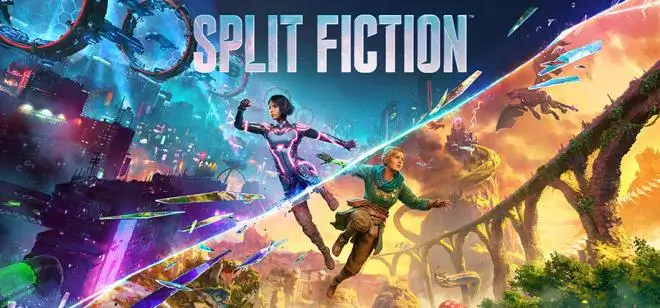
SPLIT FICTION PC ESPAÑOL
Download FICTION for PC in Spanish, an action-adventure game designed for cooperative play. Developed by Hazelight Studios, the award-winning team behind It Takes Two, this title promises to push players beyond their limits. “Master unique abilities and overcome various challenges as you jump between worlds of science fiction and fantasy.”
FICHA TÉCNICA
PLATFORM: PC
TOTAL SIZE: 76 GB
FORMAT: ISO ELAMIGOS
RELEASE DATE: 06/03/25
LAST UPDATE: 27/05/25
LANGUAGES (TEXT): English, French, Italian, German, Spanish, Polish, Brazilian Portuguese, Japanese, Korean, Simplified Chinese, Traditional Chinese
LANGUAGES (AUDIO): English, French, Italian, German, Spanish, Japanese, Simplified Chinese

REQUISITOS DEL SISTEMA
Minimum Requirements:
– Requires a 64-bit processor and operating system
– OS: Windows 10/11 64-bit
– Processor: Intel Core i5-6600K or AMD Ryzen 5 2600X
– Memory: 16 GB RAM
– Graphics: NVIDIA GeForce GTX 970 – 4GB or Radeon RX 470 – 4GB
– DirectX: Version 12
– Network: Broadband Internet connection
– Storage: 85 GB available space
– Additional Notes: Resolution: 1920×1080 / Native FPS: 30 / Graphics Settings Preset: Low
Recommended Requirements:
– Requires a 64-bit processor and operating system
– OS: Windows 10/11 64-bit
– Processor: Intel Core i7-11700K or AMD Ryzen 7 5800X
– Memory: 16 GB RAM
– Graphics: NVIDIA GeForce RTX 3070 – 8GB or AMD Radeon 6700 XT – 12GB
– DirectX: Version 12
– Network: Broadband Internet connection
– Storage: 85 GB available space
– Additional Notes: Resolution: 2560×1440 / Native FPS: 60 / Graphics Settings Preset: High
INSTRUCCIONES
To Install the Game:
- Download the game
- Extract the RAR folders
- Mount the ISO file using «Daemon Tools or similar»
- Run SETUP.EXE and install
- Run the game as Administrator
- Play
TO INSTALL THE UPDATE
- Download and extract the update file
- Run SETUP.EXE and install into your base game folder
- Run the game as Administrator
- Play
TO PLAY ONLINE
- Download and extract the online fix
- Copy the fix content and paste it into your installed game folder
- Log in to STEAM with your account
- Run the game
- You can connect with STEAM friends who have also downloaded the game
Error Fix – “Steamworks fix was successfully activated, please restart the game”
Find the file named onlinefix.ini, edit the line that says FakeApp, and set its value to 480. That should solve the issue completely.